

Download Alive Wallpaper – Dynamic Mac Backgrounds, Free & Secure
Overview
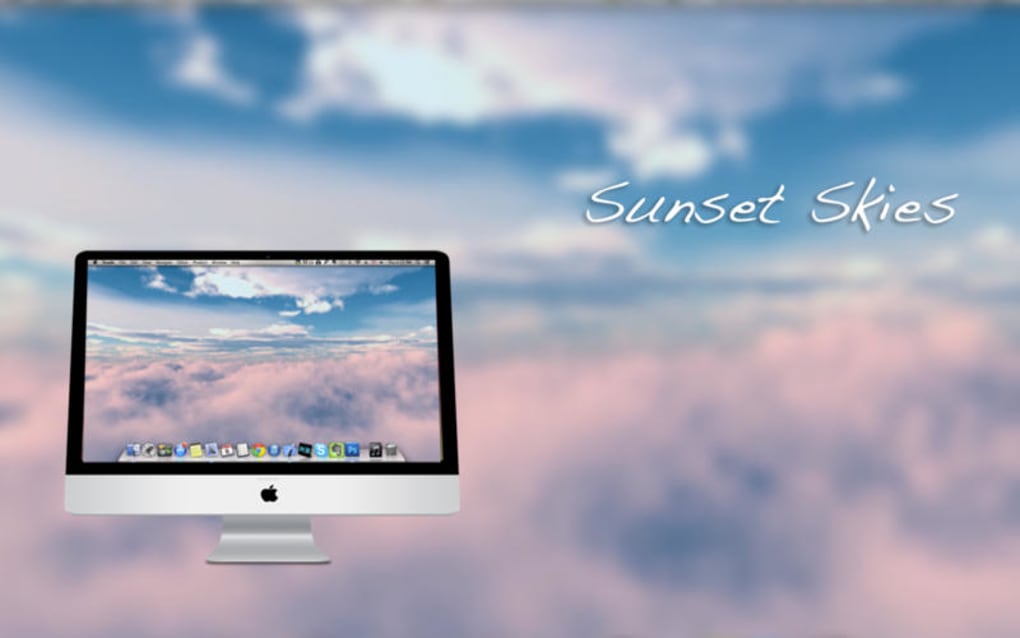
Alive Wallpaper is a full‑version Mac application that brings life to your desktop by turning static images into animated, breathing backgrounds. Developed by Marian Raafat and categorized under “Science”, the software taps into macOS’s graphics engine to deliver subtle motion, particle effects, and real‑time weather overlays that respond to your system’s clock and location. First published on Softonic on March 31st 2017, the current stable build is version 1.2.0, available exclusively in English.
While the app is not a free‑to‑play utility, it offers a one‑time purchase model that guarantees updates without hidden fees. Users who appreciate a visually stimulating workspace but do not want the distraction of full‑screen videos will find Alive Wallpaper an elegant middle ground. The program runs on macOS X and later, making it compatible with a wide range of Apple hardware from older MacBooks to the latest iMac Pro.
Its lightweight design ensures that CPU and GPU usage stay below 5 % on typical configurations, preserving battery life on laptops while delivering smooth, jitter‑free animation. In this review we will explore the core features, walk through installation, assess system compatibility, and weigh the pros and cons to help you decide whether this dynamic wallpaper tool deserves a spot on your Mac.
Key Features That Make Alive Wallpaper Stand Out
- Animated Background Library – Over 50 curated animations ranging from gentle ocean waves to drifting clouds, all optimized for macOS.
- Customizable Motion Parameters – Adjust speed, direction, and intensity for each wallpaper, allowing subtle or bold visual effects.
- Real‑Time Weather Integration – Syncs with your location to overlay rain, snow, or sunshine on compatible scenes.
- Dynamic Clock & Calendar Widgets – Embed a live clock or date display that blends seamlessly with the animated backdrop.
- Battery‑Friendly Engine – Utilizes macOS’s Core Animation framework to keep resource consumption low.
- One‑Click Theme Switching – Store multiple wallpaper setups and toggle between them instantly from the menu bar.
- Support for Multi‑Monitor Setups – Apply different animations to each screen or mirror the same effect across all displays.
- Automatic Updates – The app checks for new animation packs and software patches, ensuring you stay current without manual downloads.
Beyond the listed capabilities, Alive Wallpaper offers a polished user interface that feels native to macOS. The preference pane integrates with System Preferences, giving you access to theme options without launching a separate window. For power users, a hidden “Developer Mode” unlocks the ability to import custom video loops or GIFs, expanding the library beyond the official collection.
The app also respects macOS’s Dark Mode, automatically adjusting color balance to keep animations harmonious with the overall system theme. Security‑conscious users will appreciate that all animation assets are stored locally; there is no streaming of third‑party content, which eliminates privacy concerns and ensures the wallpaper works offline. In short, the feature set is comprehensive enough to satisfy enthusiasts while remaining simple for newcomers.
Installation, Usage Instructions, and Compatibility
Step‑by‑Step Installation
- Visit the official download page or the Softonic listing for Alive Wallpaper.
- Click the Download for macOS button – the file arrives as a
.dmgpackage. - Open the
.dmgand drag the Alive Wallpaper icon into your Applications folder. - Launch the app for the first time; macOS may prompt you to confirm that the developer is trusted – click Open to proceed.
- Enter your license key (provided after purchase) in the activation window, then restart the application.
Getting Started with the Interface
Upon launch, Alive Wallpaper places an icon in the menu bar. Clicking the icon reveals a concise control panel where you can select a pre‑installed animation, adjust motion sliders, or enable weather sync. To explore the full preferences, select Open Preferences… from the dropdown.
Here you’ll find tabs for Library, Performance, Widgets, and Advanced. The Library tab showcases thumbnail previews; hovering over a thumbnail displays a 5‑second loop preview. To set a wallpaper, simply click Apply.
The change is immediate, and you can revert to the classic static background by choosing “None” from the same menu.
System Requirements and Operating System Support
Alive Wallpaper requires macOS X 10.10 (Yosemite) or later. It runs natively on Intel and Apple Silicon (M1/M2) chips, thanks to universal binaries compiled by the developer. Minimum hardware specifications include 2 GB RAM, 200 MB of free disk space for the app and animation assets, and a GPU that supports Metal (all Macs released after 2012 meet this criterion). Battery‑optimized mode automatically disables high‑frequency animation on laptops when the battery drops below 20 %, preserving runtime while still offering a pleasant visual experience.
The installer also checks for required system frameworks such as Core Animation, Core Graphics, and the WeatherKit API. If any component is missing, the app will prompt you to install the latest macOS updates before proceeding. Users with older hardware (pre‑2012) may experience higher CPU usage, but the app includes a “Low‑Power” toggle that reduces frame rates to keep the system responsive. Overall, compatibility is broad, covering the majority of Macs currently in use.
Pros, Cons, and Frequently Asked Questions
Pros & Cons
- Pros
- Beautiful, high‑quality animated wallpapers that enhance productivity.
- Low resource consumption; safe for laptops and older Macs.
- Weather and clock widgets add functional value.
- One‑click theme switching for multi‑monitor setups.
- Regular updates and a responsive developer.
- Cons
- Price is a one‑time purchase (no free tier), which may deter casual users.
- Limited language support – only English is available.
- Custom animation import requires “Developer Mode,” which is hidden.
- No built‑in marketplace for third‑party wallpaper packs.
FAQ – Answers from the Developer and Community
Can I use Alive Wallpaper on macOS Big Sur or Monterey?
Yes. The application is fully compatible with macOS 11 (Big Sur) and macOS 12 (Monterey). The installer automatically selects the appropriate binary for Intel or Apple Silicon.
Does the animated wallpaper affect battery life on a MacBook?
Battery impact is minimal. In normal mode the app uses less than 5 % CPU and 30 MB RAM. When the battery level falls below 20 %, the app automatically switches to low‑power mode, reducing animation frame rates.
Is there a way to import my own video or GIF as a wallpaper?
Yes. By enabling “Developer Mode” in the Advanced preferences, you can drag custom video files (MP4, MOV) or GIFs into the library. The app will convert them to a compatible format.
Will the app work on a dual‑monitor setup with different resolutions?
Absolutely. Alive Wallpaper detects each display’s resolution and allows you to assign distinct animations to each screen or mirror the same wallpaper across all monitors.
How do I receive future updates and new animation packs?
The app checks for updates at launch and notifies you via the menu‑bar icon. New animation packs are delivered as optional downloads within the Library tab.
Conclusion & Call to Action
Alive Wallpaper strikes a fine balance between visual flair and system efficiency, making it an excellent choice for Mac users who want a dynamic desktop without sacrificing performance. Its robust feature set—including weather‑aware scenes, customizable motion controls, and multi‑monitor support—covers both casual users and power users alike. While the lack of a free tier and limited language options are minor drawbacks, the one‑time purchase model ensures you receive updates for the life of the product without hidden fees. If you’re ready to breathe new life into your Mac’s background, click the download button below, install the app, and experience a more engaging workspace today.
Review Summary: A beautifully animated wallpaper app for macOS that delivers high‑quality visuals while staying lightweight. Ideal for professionals and creatives who value both aesthetics and performance.







